When I am on a call, either from a private call between friends or on a call from a public server. When I want to change the volume of a specific participant using a right click I see this :
As you can see, the volume popup is below the main conversation tag. So I can't know which value it is because I only see 1/3 of the popup.
What it should do
Showing the popup entierly
Hi,
On Toju v1.0.210, both web and AppImage version.
When I am on a call, either from a private call between friends or on a call from a public server. When I want to change the volume of a specific participant using a right click I see this :
<img width="238" alt="image.png" src="attachments/71dabf8f-2142-4fb4-a028-83ec34a4b5bb">
As you can see, the volume popup is below the main conversation tag. So I can't know which value it is because I only see 1/3 of the popup.
## What it should do
Showing the popup entierly
This is a miss by me modifying the default theme too often,
A temporary solution is to change to a older theme of the ones built in:
Settings -> Theme studio -> Toju Default Dark -> Apply draft -> Close.
It is on my bucket list of fixing
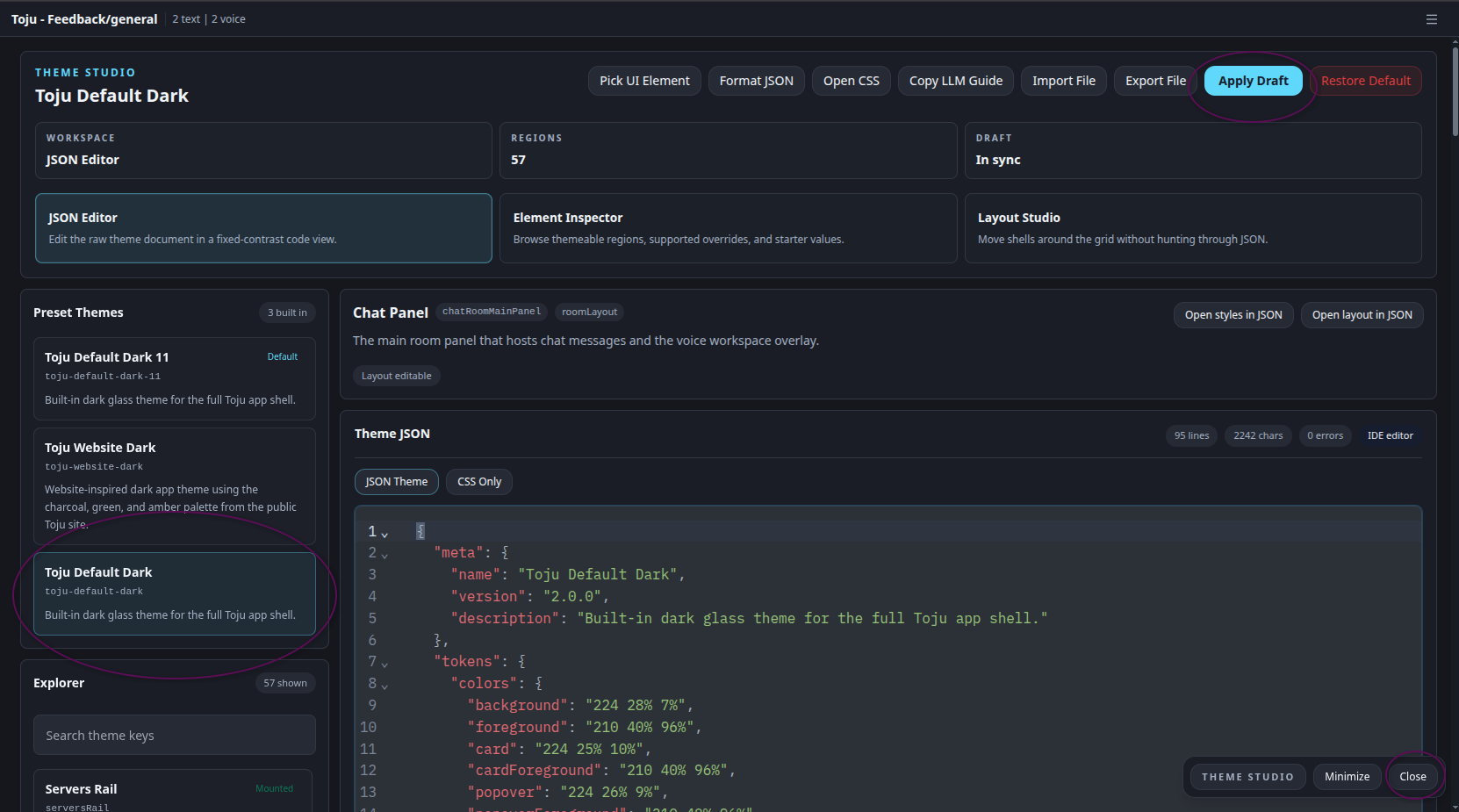
This is a miss by me modifying the default theme too often,
A temporary solution is to change to a older theme of the ones built in:
Settings -> Theme studio -> Toju Default Dark -> Apply draft -> Close.
It is on my bucket list of fixing
<img width="1247" alt="image.png" src="attachments/960ead98-61b4-4ec9-bc36-bf8b9a8181d6">
Blocking a user prevents them from interacting with repositories, such as opening or commenting on pull requests or issues. Learn more about blocking a user.
Hi,
On Toju v1.0.210, both web and AppImage version.
When I am on a call, either from a private call between friends or on a call from a public server. When I want to change the volume of a specific participant using a right click I see this :
As you can see, the volume popup is below the main conversation tag. So I can't know which value it is because I only see 1/3 of the popup.
What it should do
Showing the popup entierly
This is a miss by me modifying the default theme too often,
A temporary solution is to change to a older theme of the ones built in:
Settings -> Theme studio -> Toju Default Dark -> Apply draft -> Close.
It is on my bucket list of fixing
